
Pin sheet software
Pin sheets printed from the real green
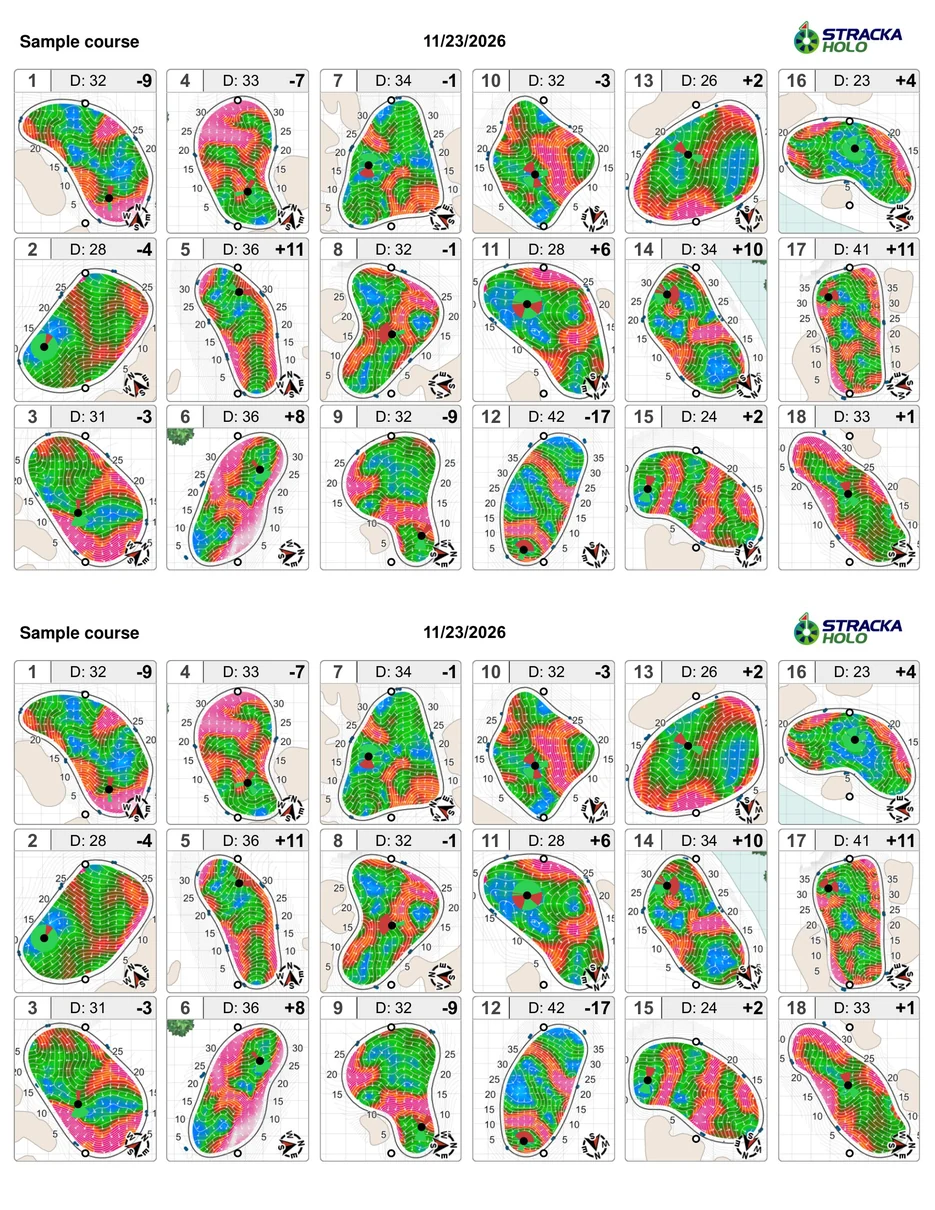
For years, pin sheets were printed circle-green designs that did little for a golfer walking to the next tee. StrackaHoLo prints a real view of the green and the surrounding bunkers and penalty areas, with as much detail as the course wants.
Print styles
Choose how much detail goes on the sheet
Line drawing
A clean outline of the green with the hole location.
Slope color
The green shaded by slope.
Grid and pin
A grid over the green with the hole location.
Slope and arrows
Directional arrows showing which way the green falls.
Heat map
Slope as a heat map across the putting surface.
Fall lines
Fall lines, if the course wants them.
Front/middle/back, paces, depth, and a center mark are also options on the print side.
Formats
18-up, 9-up with fold, greenskeeper 2-up
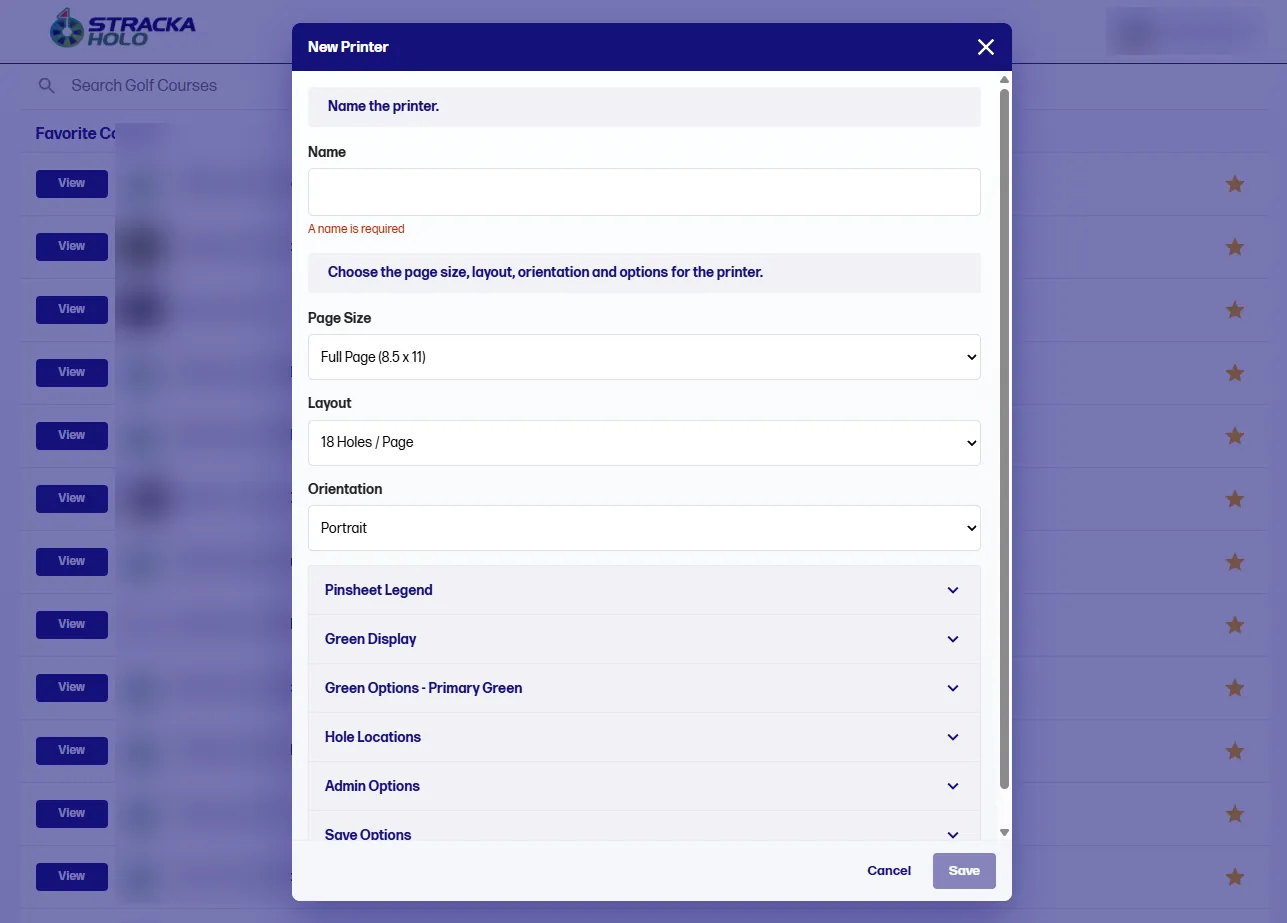
Printer templates set the page size (full page 8.5 x 11 or half page 8.5 x 5.5), the layout, and the orientation, then the legend, green display, and hole-location options. Formats cover 18-up, 9-up with fold, greenskeeper 2-up, and other layouts the shop already uses.
Under USGA Rule 4.3, a hole location sheet showing nine or more holes may be larger than 4¼ × 7 inches, as long as each green image stays within the 3/8 inch to 5 yard scale.
Download sample pin sheets
Letter-size sample sheets printed from HoLo, shown with sample course data. Click a sheet to see it full size, or download the original PDF.


Make your own pin sheets
Book a demo, or call or text us. A sales rep sends pricing.